Valorant on 8GB GPU: Pro Settings for Max FPS
Valorant on 8GB GPU: Pro Settings for Max FPS
Can an 8GB VRAM laptop truly handle the pressure of a Radiant-level clutch? This is the core question for countless competitive players. With Valorant on an 8GB GPU becoming a common setup, the fear of hardware bottlenecks costing you rounds is real. The good news is that Riot Games has engineered a tactical shooter that is exceptionally well-optimized. An 8GB graphics card is more than sufficient not just to play, but to dominate—provided you configure it for pure performance. This guide breaks down the exact settings and optimizations needed to transform your mid-range setup into a high-refresh-rate, competitive machine, ensuring your hardware never limits your skill ceiling.
Is 8GB of VRAM Enough for Competitive Valorant?
For competitive Valorant, 8GB of VRAM is absolutely enough. The game’s engine, Unreal Engine 4, was heavily modified by Riot Games to prioritize performance and accessibility, ensuring it runs smoothly on a wide spectrum of hardware. Unlike graphically intensive AAA titles that consume VRAM for high-resolution textures and complex shaders, Valorant’s visual design is clean and functional. At a standard 1080p resolution, which is used by over 65% of the player base according to Steam’s hardware surveys, Valorant’s VRAM usage rarely exceeds 3-4GB even with moderate settings. This leaves a significant performance buffer on an 8GB card, preventing the micro-stutters and frame drops that can occur when VRAM is maxed out. The key is to allocate that power intelligently.
The Optimal Graphics Settings for Performance
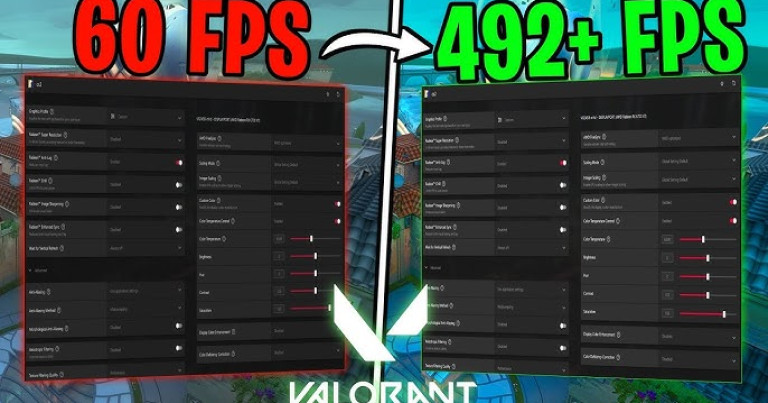
To achieve a stable 144+ FPS, which is the gold standard for competitive play, a specific configuration is necessary. These settings minimize visual noise and input lag while maximizing frame rate, giving you a tangible advantage in duels. My personal experience climbing to Diamond 3 confirms that sacrificing visual flair for raw performance is a non-negotiable trade-off.
- Material Quality: Low. Reduces surface complexity with negligible impact on identifying enemies.
- Texture Quality: Medium. A good balance. Low can make some surfaces overly blurry, while High offers no competitive benefit.
- Detail Quality: Low. This removes unnecessary environmental clutter, improving both FPS and target visibility.
- UI Quality: Low. Affects the in-menu and HUD clarity slightly but frees up resources during gameplay.
- Vignette: Off. This effect darkens screen edges and serves no purpose in competitive play.
- VSync: Off. Crucial for minimizing input lag. Always disable this.
- Anti-Aliasing: None or FXAA. MSAA is too performance-heavy for the minor visual improvement it offers.
- Anisotropic Filtering: 1x or 2x. Higher values offer diminishing returns for a significant performance cost.
- Improve Clarity & Bloom: Off. These are post-processing effects that add visual noise and can obscure enemy outlines.
Impact Across Different Skill Brackets
The need for optimized performance scales directly with player skill. For players in Iron through Gold, a stable 60-100 FPS is sufficient to learn core mechanics like crosshair placement and ability usage without being hampered by severe stuttering. However, from Platinum to Radiant, the game changes. Duels are decided by milliseconds and pixel-perfect aim. At this level, achieving 144+ FPS on a high-refresh-rate monitor is critical. It reduces input lag, provides smoother tracking for flick shots, and offers more up-to-date information, which is vital for holding tight angles and winning peeker’s advantage scenarios. An optimized 8GB GPU setup ensures you are competing on a level playing field, where the only variable is your skill.
From Optimal Settings to a Perfect Connection
You’ve meticulously configured every graphic setting, updated your drivers, and closed every background application. Your PC now delivers a flawless 200 FPS in the practice range. However, all this technical optimization can be instantly nullified by a single moment of network instability. The most precise aim and fastest reaction time mean nothing if your inputs are delayed by high ping or lost to packet loss. Achieving true competitive consistency requires moving beyond hardware tuning and addressing the final, crucial variable: your connection to the game’s servers.
Technical precision requires a perfect connection. The detailed analysis shows how Valorant is a game of millimetric precision. But even mastering concepts, network problems can sabotage perfect executions – your smoke might deploy late, your flash might not blind at the right timing, your peek might be punished before you even see the enemy. NoPing eliminates these variables across 3,000+ games: Multi-Connection technology reduces lag by up to 80% and eliminates up to 100% of packet loss and jitter. Zero interruption, zero excuses. Your technical execution becomes as reliable as your theoretical knowledge. Already know the theory? Now ensure the practice. Free 7-day trial and discover what it’s like to play Valorant when complex mechanics work exactly as you planned.
Published by automated system on December 2, 2025 at 2:00 PM